I added a fan controller to my disk shelf.
The built in fan controller made the fans sound like a banshee, constantly ramping the fans up and down. I wanted something that I could monitor and control rom Home Assistant.
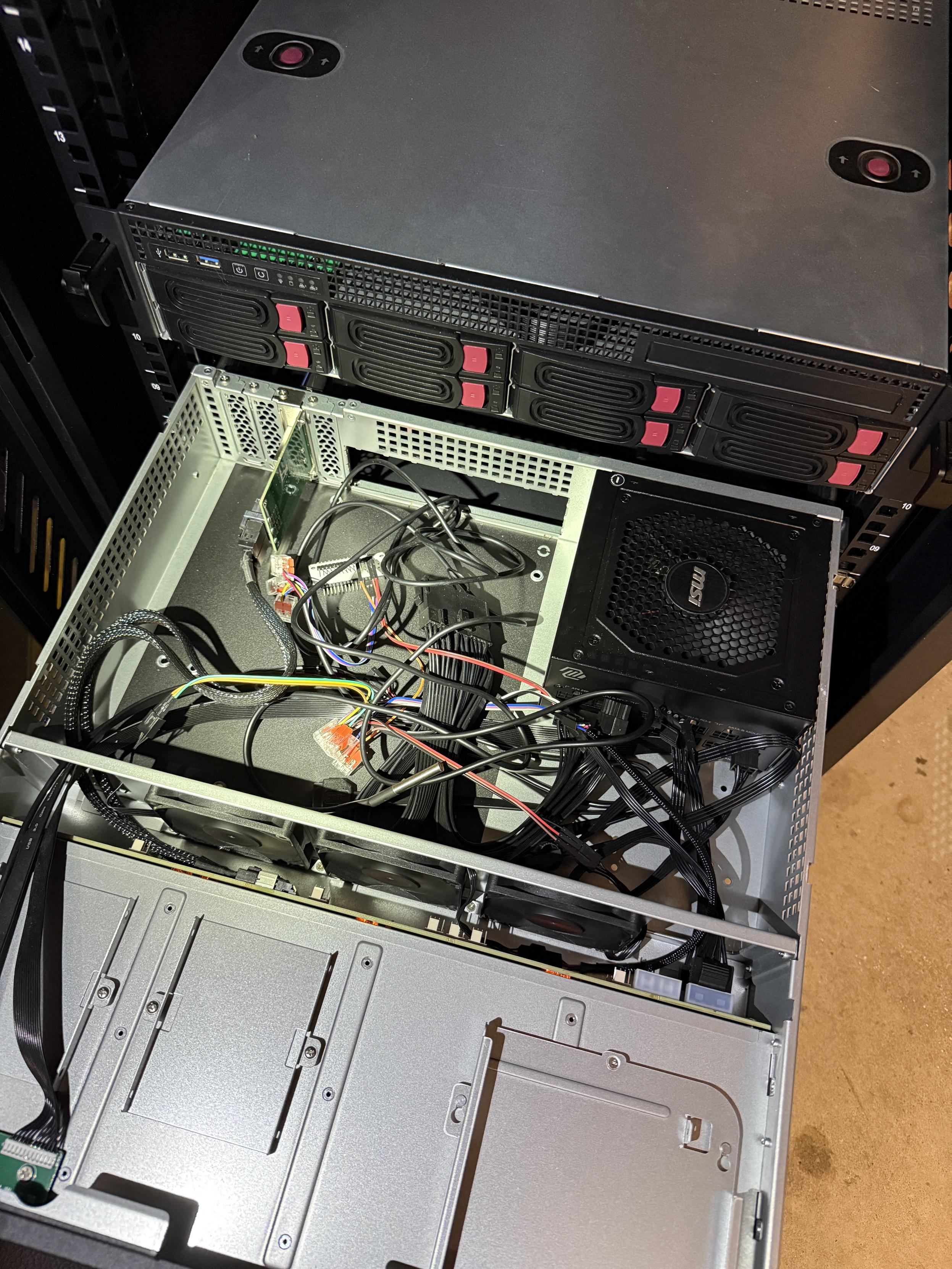
I jumped off the Molex connector for 12V and 5V, wired up a DS18B20 temperature probe, and put the fan speed under PWM control.
My first thought was PID control, but since the incoming air is not much colder than the shelf temperature, I think a lookup table for fan speed will make more sense. It should be easier to tune and less likely to do silly things when the disks are only slowly changing temperature.
The ESPHome configuration is doing the whole loop locally: read the probe, choose a fan speed from the curve, publish the current speed, and refuse to let the fan turn off completely.
substitutions:
  name: diskshelf
  friendly_name: Disk Shelf

esp32:
  board: esp32dev
  framework:
    type: esp-idf

esphome:
  name: ${name}
  on_boot:
    priority: -100
    then:
      - fan.turn_on:
          id: disk_shelf_fan
          speed: 1

logger:
  level: INFO

wifi:
  ssid: !secret wifi_ssid
  password: !secret wifi_password
  power_save_mode: none
  fast_connect: true

api:

ota:
  - platform: esphome

web_server:
  port: 80

globals:
  - id: disk_shelf_fan_speed_percent
    type: int
    restore_value: no
    initial_value: "1"

one_wire:
  - platform: gpio
    pin: GPIO15

sensor:
  - platform: template
    id: disk_shelf_fan_speed_sensor
    name: "${friendly_name} Fan Speed"
    unit_of_measurement: "%"
    accuracy_decimals: 0
    lambda: return id(disk_shelf_fan_speed_percent);
    update_interval: 30s

  - platform: dallas_temp
    id: disk_shelf_temperature
    name: "${friendly_name} Temperature"
    update_interval: 30s
    on_value:
      then:
        - lambda: |-
            struct FanStep {
              float temperature;
              int speed;
            };

            // Edit this table to tune the disk shelf curve.
            // Speeds are the user-facing 0-100% values; 0 is coerced to the lowest running speed.
            static const FanStep fan_curve[] = {
              {25.0f, 0},
              {30.0f, 25},
              {35.0f, 50},
              {40.0f, 75},
              {45.0f, 100},
            };

            int speed = fan_curve[0].speed;
            for (const auto &step : fan_curve) {
              if (x >= step.temperature) {
                speed = step.speed;
              }
            }

            speed = clamp(speed, 0, 100);
            if (speed == 0) {
              speed = 1;
            }

            auto call = id(disk_shelf_fan).turn_on();
            call.set_speed(speed);
            call.perform();
            id(disk_shelf_fan_speed_percent) = speed;
            id(disk_shelf_fan_speed_sensor).publish_state(speed);

output:
  - platform: ledc
    id: disk_shelf_fan_pwm
    pin: GPIO14
    frequency: 25000 Hz
    min_power: 20%
    max_power: 100%

fan:
  - platform: speed
    id: disk_shelf_fan
    name: "${friendly_name} Fan"
    internal: true
    output: disk_shelf_fan_pwm
    speed_count: 100
    restore_mode: ALWAYS_ON
    on_turn_off:
      then:
        - fan.turn_on:
            id: disk_shelf_fan
            speed: 1
To make sure the fan curve is doing the right thing, I also put together a small shell script to log the HDD self-reported temperatures from smartctl.
#!/usr/bin/env bash

LOGFILE="/var/log/disk-temperatures.csv"

# Add your disks here
DISKS=(
  /dev/sda
  /dev/sdb
  /dev/sdc
)

# Write CSV header if file does not exist
if [ ! -f "$LOGFILE" ]; then
  echo "timestamp,disk,temperature_c" | sudo tee "$LOGFILE" >/dev/null
fi

timestamp=$(date --iso-8601=seconds)

for disk in "${DISKS[@]}"; do
  temp=$(sudo smartctl -A "$disk" 2>/dev/null | awk '
    /Temperature_Celsius/ { print $10; found=1 }
    /Airflow_Temperature_Cel/ { print $10; found=1 }
    /^Temperature:/ { print $2; found=1 }
    END { if (!found) print "NA" }
  ')

  echo "$timestamp,$disk,$temp" | sudo tee -a "$LOGFILE" >/dev/null
done
Original Mastodon post: disk shelf fan controller.